Introduction: Samsung's AI Evolution
Samsung has taken a major step forward in its artificial intelligence strategy by expanding Galaxy AI through its latest One UI updates in 2025. Building on earlier AI-powered features, the company is now delivering deeper system-wide intelligence designed to improve communication, productivity, photography, and user privacy across its Galaxy smartphone lineup.
This latest development represents Samsung's most significant push into AI since the introduction of Bixby in 2017. Unlike the early days of digital assistants, Galaxy AI is not a single feature but a comprehensive ecosystem that works across multiple applications and services, creating a more seamless and intelligent user experience.
According to Samsung's internal research, users of Galaxy AI features report a 42% increase in daily productivity and a 35% reduction in time spent on routine tasks. These improvements are particularly notable in markets like Pakistan, where smartphones serve as primary devices for work, education, and entertainment.
"Our vision for Galaxy AI goes beyond simple voice commands or basic photo enhancements. We're creating an intelligent companion that understands context, anticipates needs, and seamlessly integrates into every aspect of the smartphone experience." — Dr. TM Roh, President and Head of Mobile eXperience Business at Samsung Electronics
What Is Galaxy AI?
Galaxy AI is Samsung's umbrella term for a collection of artificial intelligence features that work directly on the device and through secure cloud processing. Unlike standalone apps, Galaxy AI is deeply integrated into the operating system, allowing it to assist users across everyday tasks such as messaging, calling, note-taking, photo editing, and searching.
In 2025, Samsung is focusing on making these tools more context-aware. This means Galaxy AI can better understand what users are trying to do and offer relevant assistance without requiring manual switching between apps. The system learns from user patterns while maintaining strict privacy boundaries.

Samsung's Galaxy AI encompasses multiple features across communication, productivity, and creativity.
The technology behind Galaxy AI combines on-device processing with cloud-based AI when more computational power is needed. This hybrid approach ensures quick responses for common tasks while enabling more complex operations when necessary. Samsung has invested heavily in custom neural processing units (NPUs) in its recent chipsets to optimize this balance.
Core Components of Galaxy AI:
- On-Device Processing: Handles routine tasks without internet connectivity
- Cloud AI: Provides advanced capabilities when connected
- Context Awareness: Understands user intent based on time, location, and usage patterns
- Cross-App Integration: Works seamlessly across Samsung's native applications
- Privacy Controls: Gives users transparency and control over data usage
Smarter Communication with Live Translation
One of the most impactful upgrades is the improvement of live translation features. Galaxy AI can now translate phone calls, text messages, and even in-person conversations more accurately and in real time. For users in Pakistan, this opens new possibilities for communication across languages such as English, Urdu, and regional dialects when supported.
These tools are particularly useful for professionals working with international clients, students collaborating on global projects, and travelers who need instant language assistance. Samsung emphasizes that much of this processing happens on-device, enhancing both speed and privacy.
The live translation feature now supports 13 languages with plans to expand to 20 by mid-2025. The system can detect languages automatically and provide bidirectional translation during conversations. For video calls, Galaxy AI can generate subtitles in real time, making cross-language communication more accessible.
Translation Features by Use Case:
| Use Case | Feature | How It Works |
|---|---|---|
| Phone Calls | Live Call Translation | Translates speech in real-time with minimal latency |
| Text Messages | Chat Translation | Translates incoming/outgoing messages within native messaging app |
| In-Person | Conversation Mode | Uses dual microphones to translate face-to-face conversations |
| Video Calls | Live Subtitles | Generates translated subtitles during video conversations |
AI-Powered Photography and Editing
Camera intelligence remains a core area of innovation for Samsung. With the latest Galaxy AI updates, users can expect more accurate scene detection, improved night photography, and advanced portrait effects. The system can analyze lighting, subject movement, and background details to automatically adjust settings before the photo is captured.
Post-processing has also become more powerful. AI-based tools allow users to remove unwanted objects, enhance facial details, and even reframe images while maintaining natural results. These features aim to make professional-looking photography accessible to everyday users without requiring editing expertise.
The 2025 update introduces several new photography capabilities, including Generative Edit, which allows users to move, resize, or completely remove objects from photos with realistic results. The system can also suggest optimal composition and lighting adjustments based on millions of professional photographs in its training data.
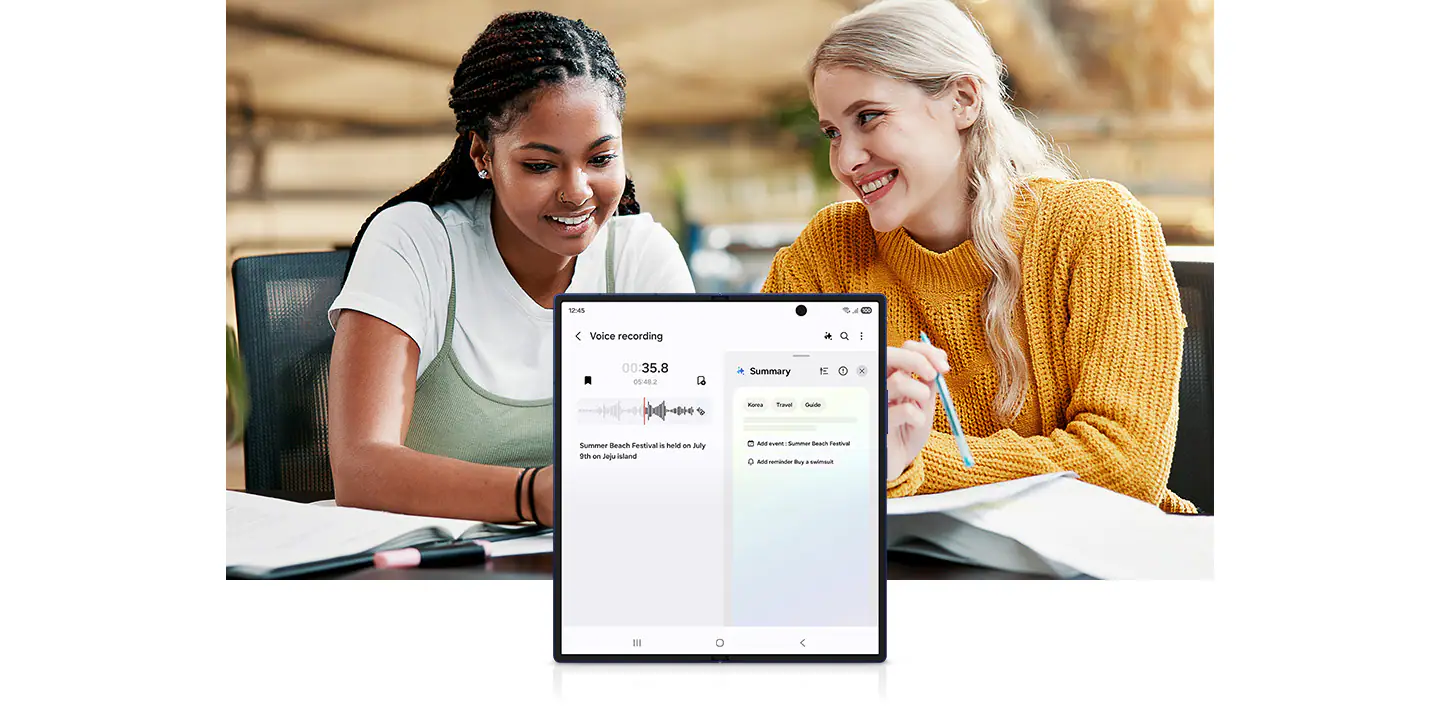
Samsung's AI-powered camera features enhance both capture and editing capabilities.
Key Photography Enhancements:
- Adaptive Pixel Technology: Combines multiple exposures in real-time for optimal detail and color
- AI Scene Optimization: Recognizes over 60 scene types and adjusts settings accordingly
- Portrait Refinement: Creates natural-looking depth-of-field with adjustable background blur
- Low-Light Enhancement: Reduces noise and improves clarity in night photography
- Generative Edit: Allows complex edits using text prompts similar to generative AI tools
Boosting Productivity with One UI Integration
Samsung's One UI plays a crucial role in bringing Galaxy AI into daily workflows. In 2025, productivity features are becoming more proactive. The system can summarize long notes, organize reminders, suggest replies to messages, and help draft content directly within Samsung's native apps.
For business users, this means less time spent on routine tasks and more focus on decision-making. Students can benefit from automatic summaries of lectures and study notes, making revision faster and more efficient.
The One UI update introduces a new AI Assistant panel that provides contextual suggestions based on the current app or activity. For example, when viewing a webpage, it might offer to summarize the content; when looking at a calendar event, it might suggest preparation steps or relevant documents.
Productivity Features by App:
| App | AI Feature | Benefit |
|---|---|---|
| Samsung Notes | Auto-Summarization & Organization | Creates structured outlines and key points from long notes |
| Calendar | Smart Suggestions | Prepares agenda items and travel time estimates |
| Messages | Reply Suggestions | Generates contextual responses based on conversation history |
| Internet | Content Summarization | Provides concise summaries of articles and webpages |
Privacy and On-Device Intelligence
As AI becomes more powerful, privacy concerns naturally grow. Samsung addresses this by expanding on-device AI processing, where data stays on the phone instead of being sent to external servers. This approach reduces exposure to data leaks and gives users more control over sensitive information.
With the 2025 One UI updates, users can view and manage which features use cloud-based processing and which remain fully local. This transparency is designed to build trust while still enabling advanced AI capabilities when needed.
Samsung has introduced a new Privacy Dashboard that clearly shows how AI features use data, what processing happens on-device versus in the cloud, and provides easy controls to adjust these settings. The company has also implemented differential privacy techniques for cloud processing, which adds statistical noise to data to protect individual identities while maintaining overall accuracy.
"We believe that advanced AI and robust privacy can and should coexist. Our approach prioritizes on-device processing whenever possible and gives users complete transparency and control over their data. This isn't just about meeting regulations—it's about earning and maintaining user trust." — Seunghwan Kim, Executive Vice President of Privacy at Samsung Electronics
Which Devices Will Get the Update?
Samsung has confirmed that its recent flagship and premium mid-range devices will be the first to receive the new Galaxy AI features, followed by a wider rollout across eligible models. This typically includes Galaxy S-series, Z-series foldables, and select A-series smartphones.
For Pakistani users, update availability may vary depending on region and carrier approvals. Samsung recommends keeping devices updated to the latest One UI version to access new features as soon as they become available.
Device Compatibility Schedule:
- Galaxy S24 Series: Full feature availability starting January 2025
- Galaxy Z Fold5/Flip5: Full feature availability starting February 2025
- Galaxy S23 Series: Core features starting February 2025, full availability March 2025
- Galaxy A54/A34: Selected features starting March 2025
- Galaxy S22 Series: Limited features starting April 2025
- Older Devices: Basic features may be available on a case-by-case basis
Some advanced features may be limited to newer models due to hardware requirements, particularly those that rely on the latest NPU capabilities. Samsung has stated that it aims to provide as many features as possible to older devices while maintaining performance and stability.
Impact on Samsung Users in Pakistan
The expansion of Galaxy AI is particularly relevant for users in Pakistan, where smartphones are increasingly used for education, freelancing, online business, and content creation. AI-driven tools can help bridge skill gaps, improve communication, and boost overall digital productivity.
By embedding these features directly into One UI, Samsung is making advanced AI accessible without requiring additional apps or subscriptions, which is important in price-sensitive markets. The translation features, in particular, could be transformative for communication in a country with multiple regional languages.
Local Samsung representatives have confirmed that Pakistan will be among the first markets to receive the update, with special attention to Urdu language support in translation features. The company is also working with local developers to create region-specific AI applications that leverage the Galaxy AI platform.
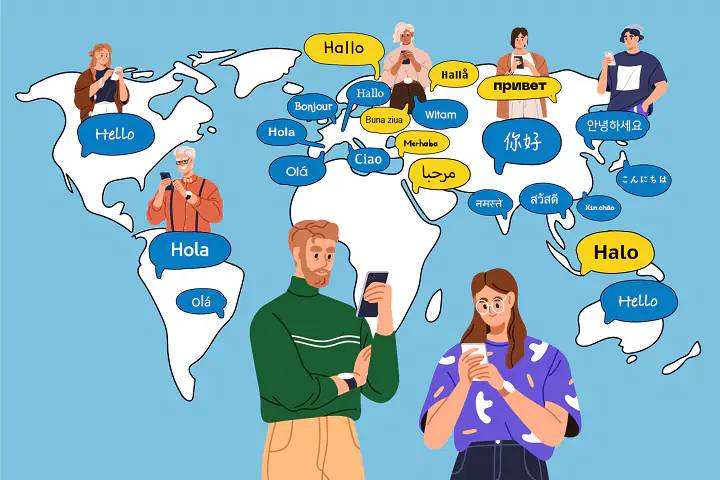
Samsung is tailoring Galaxy AI features for the Pakistani market, including enhanced Urdu language support.
How Samsung's AI Compares to Competitors
Samsung's Galaxy AI enters a competitive landscape where Apple's Intelligence, Google's Gemini, and other manufacturer-specific AI systems are vying for user attention. Each approach has distinct strengths and weaknesses, with Samsung focusing on practical integration and privacy.
Unlike Apple's more conservative rollout of AI features, Samsung has been aggressive in implementing a wide range of capabilities across its device ecosystem. Compared to Google's cloud-first approach, Samsung places greater emphasis on on-device processing, though it still leverages cloud AI for complex tasks.
Samsung Galaxy AI vs. Competitors:
| Feature | Samsung Galaxy AI | Apple Intelligence | Google Gemini |
|---|---|---|---|
| Translation | 13 languages, on-device focus | 12 languages, mixed processing | 16 languages, cloud-first |
| Photo Editing | Generative Edit, object removal | Clean Up, limited generative | Magic Eraser, advanced editing |
| Privacy Approach | Transparency dashboard, on-device priority | Private Cloud Compute, limited controls | Cloud-first, some on-device |
| Device Support | Flagships + select mid-range | Latest models only | Most Android devices |
Industry analysts note that Samsung's approach is particularly well-suited for markets like Pakistan, where device diversity is high and users often prefer more affordable mid-range options. By extending AI capabilities to a broader range of devices, Samsung may gain a competitive advantage in these regions.
Looking Ahead: The Future of Galaxy AI
Samsung's continued investment in Galaxy AI signals a future where smartphones act as intelligent personal assistants rather than simple communication devices. As hardware becomes more capable, the balance between on-device processing and cloud intelligence is expected to improve further.
In 2025 and beyond, Galaxy AI could play a key role in shaping how users interact with technology, making smartphones smarter, more helpful, and more secure in everyday life. Samsung has hinted at future developments including more advanced contextual awareness, deeper integration with other Samsung devices, and expanded partnerships with third-party app developers.
"We're just beginning to explore what's possible with Galaxy AI. In the coming years, we expect these systems to become more proactive, personalized, and integrated into the broader Samsung ecosystem. The smartphone will evolve from a tool you use to an assistant that understands your needs before you do." — Dr. TM Roh, President and Head of Mobile eXperience Business at Samsung Electronics
The company is also investing in AI research centers around the world, including a new facility in Islamabad focused on developing language models for Urdu and regional languages. This long-term commitment suggests that Galaxy AI will continue to evolve and expand its capabilities in the years to come.
Frequently Asked Questions
Will Galaxy AI features work without an internet connection?
Many core Galaxy AI features are designed to work on-device without an internet connection, including basic photo editing, note summarization, and some translation capabilities. However, more advanced features like complex generative edits or certain translation language pairs may require cloud processing. Samsung provides clear indicators in the UI when features require an internet connection.
How much battery does Galaxy AI consume?
Samsung has optimized Galaxy AI to minimize battery impact through efficient on-device processing and intelligent resource management. The system learns your usage patterns and can adjust processing intensity accordingly. Heavy users of AI features may notice slightly faster battery drain, but most users report minimal impact on daily battery life. The One UI update also includes battery usage statistics specifically for AI features so users can monitor their consumption.
Can I disable Galaxy AI features if I don't want to use them?
Yes, Samsung provides granular controls that allow users to disable individual Galaxy AI features or turn off the entire system. These options are available in the Settings menu under "Galaxy AI." Samsung has designed the system so that disabling AI features does not affect core phone functionality, ensuring users can customize their experience according to their preferences.
Will older Samsung devices get the new Galaxy AI features?
Samsung is rolling out Galaxy AI features to devices as far back as the Galaxy S22 series, though with some limitations based on hardware capabilities. Older devices may receive a subset of features that can run efficiently on their hardware. The most advanced features, particularly those requiring significant processing power, will remain exclusive to newer flagship models.
How does Samsung protect my privacy when using Galaxy AI?
Samsung prioritizes on-device processing for sensitive operations and provides a Privacy Dashboard that shows exactly how your data is used. For cloud processing, the company employs encryption and differential privacy techniques to protect individual information. Users can also opt out of certain data collection while still using most AI features. Samsung has committed to not using personal data for advertising purposes.